Onboarding New Hires to Complexity
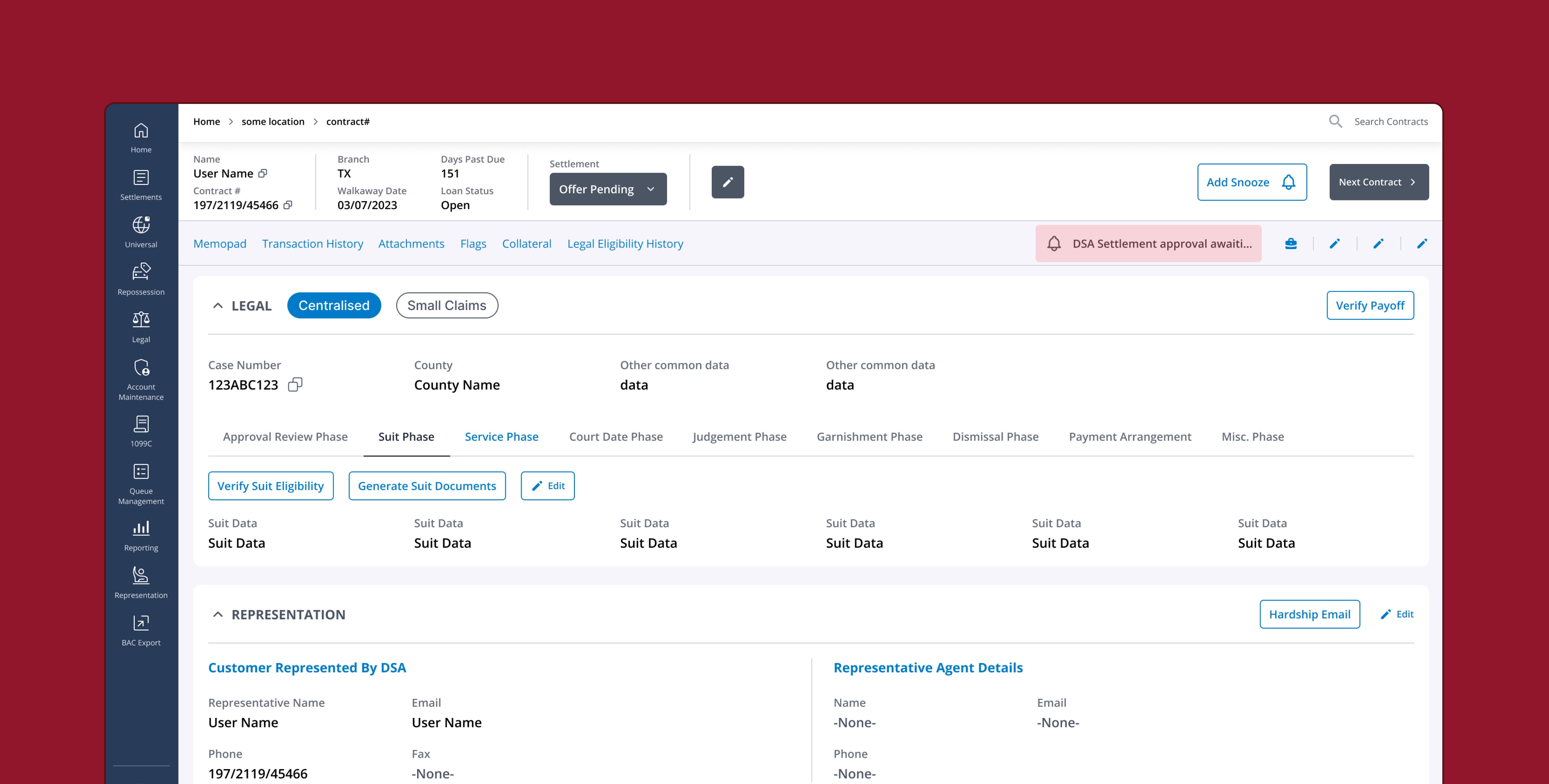
A well-known financial institution had an internal platform used to manage loan-related processes. A specialised small claims team prepared legal documents, submitted them to court, and served notices to relevant parties.
The platform's complexity was entrenched: each state and often individual judges imposed unique document requirements, formatting standards, and procedural rules. Veteran employees mastered these nuances over years, while new hires faced stacks of manuals and still struggled.
Why this research was needed
The platform had originally been built at the request of the same experienced staff who'd later become our interview subjects. They knew the process cold and asked for a tool that matched how they already worked with some improvements. There was no design or research involvement at that stage. It didn't seem necessary as the people asking for it were the same people who'd use it, and for them, it worked fine.
The gap only showed up once those same people had to train someone else on it. New hires were taking 6–8 weeks to get up to speed, with a lot of hands-on supervision needed to make sure the right process was followed and nothing was missed. The team had also been writing a training manual to help with this. They'd been working on it for two months and were still adding to it, still editing, when at some point someone half-joked that they were going to need a manual for the manual. That's roughly when they came to us.
"The goal: reduce the time and effort needed for training, and explore ways to streamline the process itself."
Who I Worked With
I worked directly with 3 client stakeholders: a senior product manager who owned the product overall, and two managers focused specifically on the legal team. They were my point of contact into the legal team, and I reported findings and direction to them throughout. The senior manager had sign-off authority, reporting further up on their side.
What to Leave Out
With a tight deadline and a process that spanned multiple states, courts, and process types, the first real decision was to consider what to leave out.
Once I had their training manual in hand and could see how much ground it covered, I asked for a call specifically to figure out how to narrow things down to something I could actually finish in the time I had. On that call, the team suggested focusing on the 2 states with the highest volume and the 3 primary processes — happy path only. This was a scope narrow enough to go deep on, but high-volume enough that whatever we learned and changed would actually matter.
Interviews, and Mapping the Journey
I ran 6 user interviews: 1 person per process per state. Everyone I spoke to had at least a few years on the process, some considerably more. There was no one newer to the role available to interview so the new-hire perspective came secondhand, through people recalling what used to trip them up when they started.
Alongside interviews, I mapped the current-state journey in detail, then abstracted it into a high-level flow that separated what happened inside the product from what happened entirely outside it.
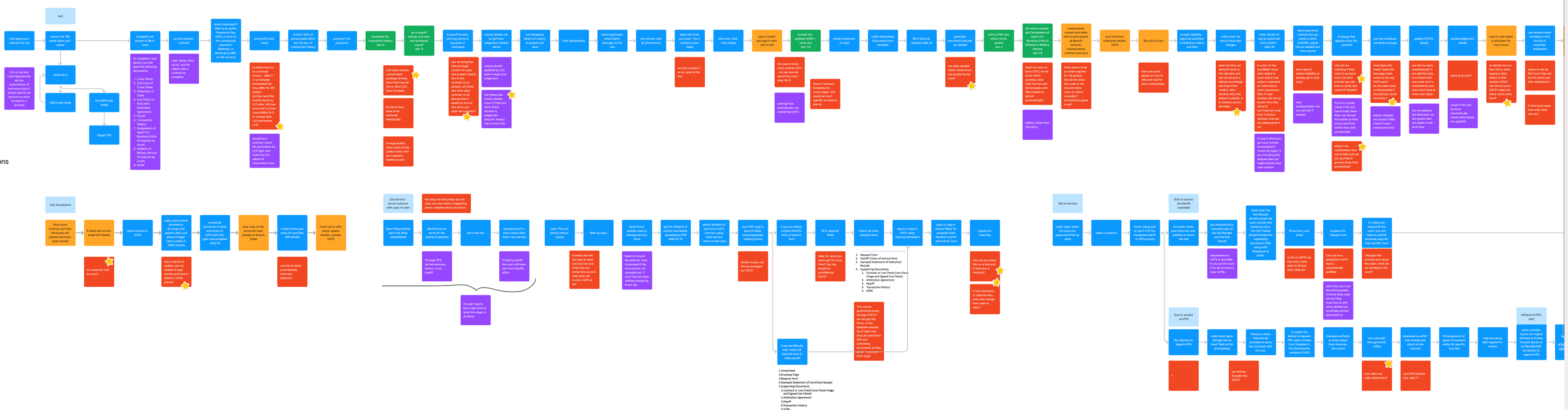

These were the main points of complexity that surfaced through the interviews - the pieces of the process that took the most cross-referencing, judgment, and manual work to get right.
Fragmented data sources create calculation risk
"Transaction history is hardest to deal with — the calculation requires you to look very carefully to ensure they are not overcharging or undercharging the user."
Agents cross-reference CATS, ABS, payment history, and multiple Excel spreadsheets to build a single calculation. At least 3 separate calculators exist with no single source of truth.
Document assembly is entirely manual
"Make sure you get the most recent SCRA. There can be more than one suit package. Users need to get the most recent. Rearrange in the right order."
Building a suit or garnishment packet means hunting files across the product, local folders, Excel, and external systems. They then need to order, redact, and verify them by hand.
The memopad is the only source of critical context
"Check memopad for items that could prevent filing. Check legal review, 100% double check, supervisor legal review, any promise to pay."
Legal review status, payment arrangements, supervisor sign-off, and ineligibility flags all live in unstructured free-text memos. Agents must read and interpret every memo before acting. Errors can't be corrected after submission.
Post-filing steps happen entirely outside the product
"Once efiled, get the case number and save the final doc. Update the spreadsheet. A separate team tracks case numbers for mail and adds them to CATS later."
After filing, case numbers arrive by email, get saved manually, entered into CATS, and tracked in a separate spreadsheet — often by a different team, with no automated handoff.
The Steps Were Clear. The Data Behind Them Was Scattered Across Systems.
A common skeleton
Despite different names and contexts, all three processes followed the same arc: prep documents → notarise → send to court → update status in CATS. The skeleton was consistent. The flesh was not.
State and court-level variance
What documents to include, which formats were accepted, whether a calculation needed adjusting — all of it could differ by state, by court, or even by the presiding judge. This variation lived in people's heads and scattered manuals, not in the product. This is exactly why the platform had felt complete to the experts who'd asked for it. They weren't consciously aware of how much tacit knowledge they were supplying on top of the tool; it had just become invisible to them.
The real gap was outside the product
Much of the complexity happened entirely outside the core system. The product gave no support for any of it.
"We could not touch existing functionality as veteran users were accustomed to it, and other teams relied on it. Any solution had to work alongside what already existed, not replace it."
Two Layers. One Coherent System.
I translated these findings into an approach that would resolve the issues and landed on a two-layer approach:
Layer 1: The training manual becomes part of the product itself. Each step in a process surfaced in sequence, no external reference needed. New hires follow the product; veterans move faster.
Layer 2: A separate management interface lets supervisors update which documents are needed, what calculations apply, and what rules are in effect — by state, by court. When rules change, the product reflects it immediately.
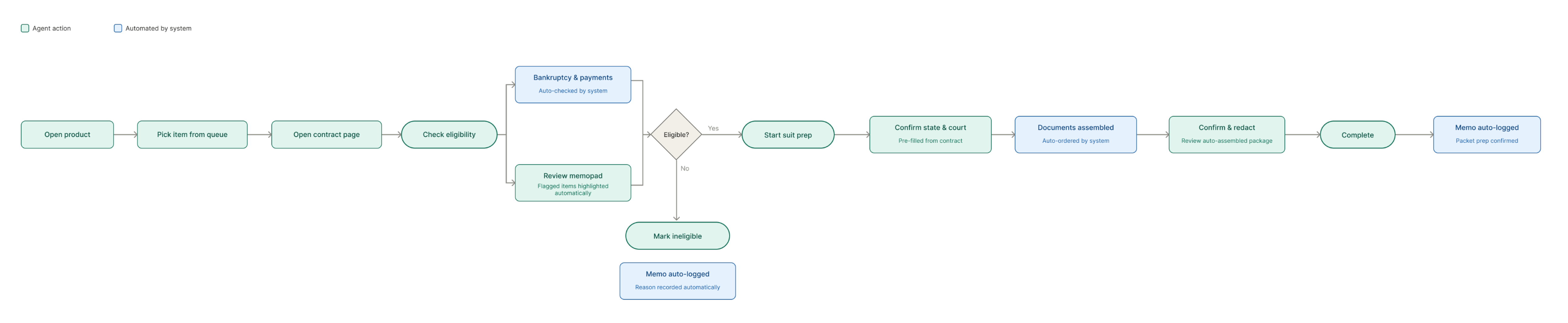
When I walked the supervisor through this flowchart, it did something I didn't expect, it helped them describe their own process more clearly than they had before. That told me the two-layer split matched how people actually thought about the work, not just how I'd modeled it on paper.
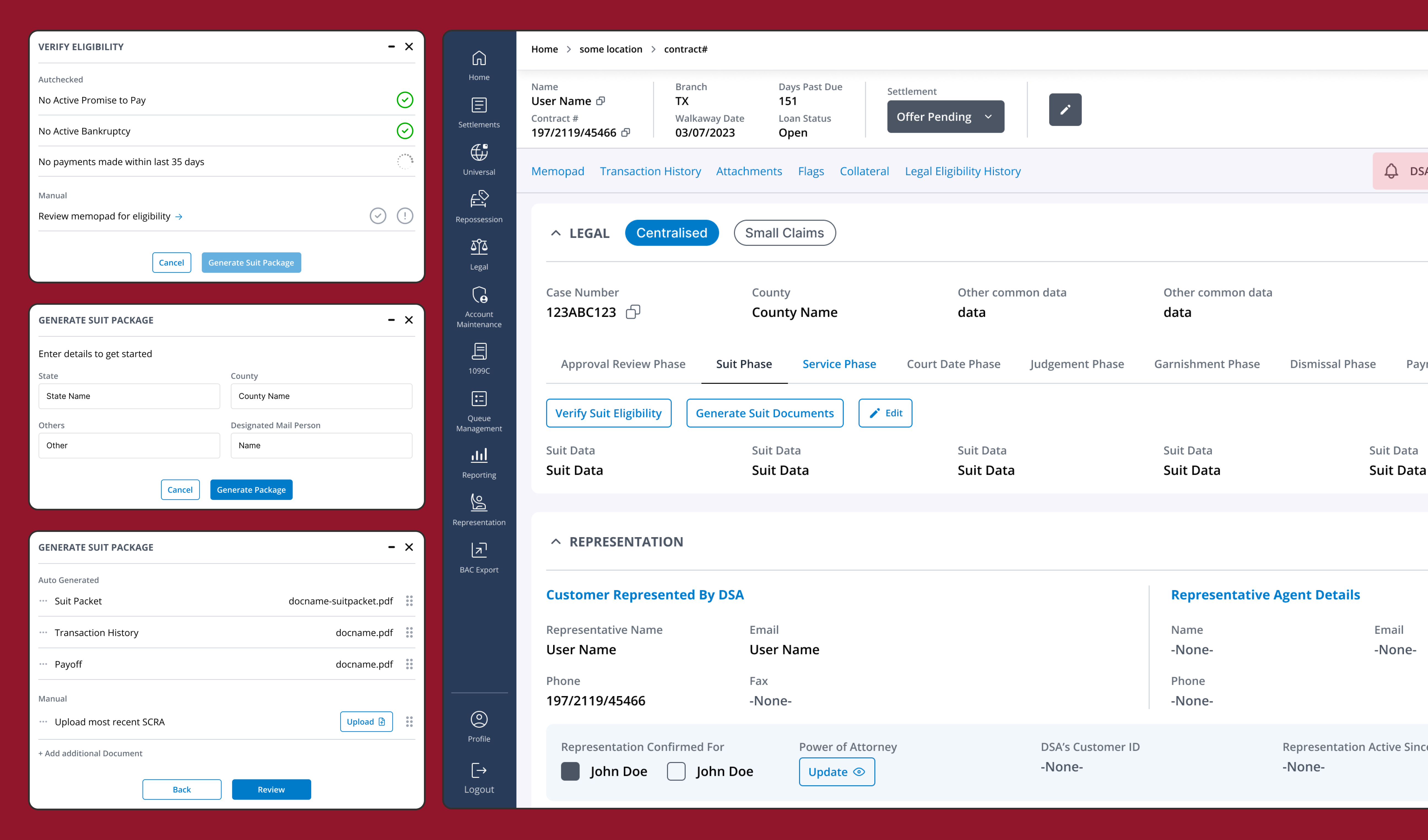
Given the time I had left, I took this further than the engagement originally called for and built out some high-fidelity screens using the institution's existing design system. This would give them a clear picture of the experience I was proposing and give them something to build upon.
A Direction, Ready to Extend
This started as a question: where does the training burden actually come from, and is there a way to reduce it? The research pointed to an answer — the complexity wasn't in any single step, it was in tacit knowledge that had never been written down anywhere the product could surface it.
The people running training reviewed the direction and said it would genuinely make their job easier — which, for a manual-heavy process built almost entirely on institutional memory, was the outcome that mattered most.
The two states and three processes were a proof-of-concept by design — the rules layer was kept separate from the guided flow specifically so more states, courts, and processes could be added later without rebuilding the system.
The direction is ready for a fuller design and validation pass, including testing with actual new hires as they come through training — something this engagement's timeline didn't allow for.